
Access, Risk & Tax
Binance Account Registration and Verification for RWA Buyers
A step-by-step registration and verification guide, written for people whose goal is holding tokenised assets — including where the invitation code goes, why it cannot be added later, and the security settings worth configuring before you fund anything.
Several of the products covered on this site are reachable through Binance: bStocks tokenised equities, PAXG tokenised gold, and the liquid RWA sector tokens. That makes an account there useful for a reader working through this material, alongside the other venues we cover.
To be clear about scope: Binance is one route among several. Ondo Stocks offers a structurally stronger equity wrapper through its own distribution, xStocks reaches jurisdictions others do not, and tokenised gold trades in many places. Pick venues based on which products you want and which are available where you live, not on convenience alone. This guide covers the mechanics of one of them.
Before you start: the invitation code
Handle this first. There is a way to fix it afterwards, but the window is narrow enough that most people miss it.
Registering through an invitation link, or entering an invitation code during signup, makes your account eligible for a trading fee rebate of up to 20%. An account opened without one does not receive that rebate, and binding a code afterwards is only possible inside a short window with several conditions attached — the last section of this page sets them out. Whether you reach that ceiling depends on the product you trade and on terms the platform sets and can change. Whatever the registration page shows when you arrive is the figure that applies, along with whatever new-user offer is running at the time.
Register through the Binance signup page with this invitation code applied. The code behind it is BN2886, which you can type into the referral box yourself if the field does not prefill.
This is a promotional link. Crypto trading carries risk; nothing here is financial advice.
Where the field hides: on the signup form the referral box is usually collapsed behind a small "Referral ID (Optional)" toggle. Expand the optional fields before you submit and confirm the code you intend to use is sitting in that box. Arriving through an invitation link fills it automatically; typing the code yourself works equally well, and is the fallback when a link does not prefill.
This is the field with the shortest correction window on the whole form, which is why it belongs before step 1 rather than inside it.
Step 1: Registration
You will need an email address or phone number and a password.
- Open the registration page via the link above.
- Choose email or phone. Either works; email is generally easier to recover.
- Set a strong, unique password. Use a password manager; reused passwords are the most common cause of account compromise, and an exchange account is a high-value target.
- Check the referral / invitation code field. Confirm your intended code is present before submitting, and expand the optional fields if you do not see the box at all.
- Submit and enter the verification code sent to your email or phone.
Your account now exists but can do very little until verification is complete.
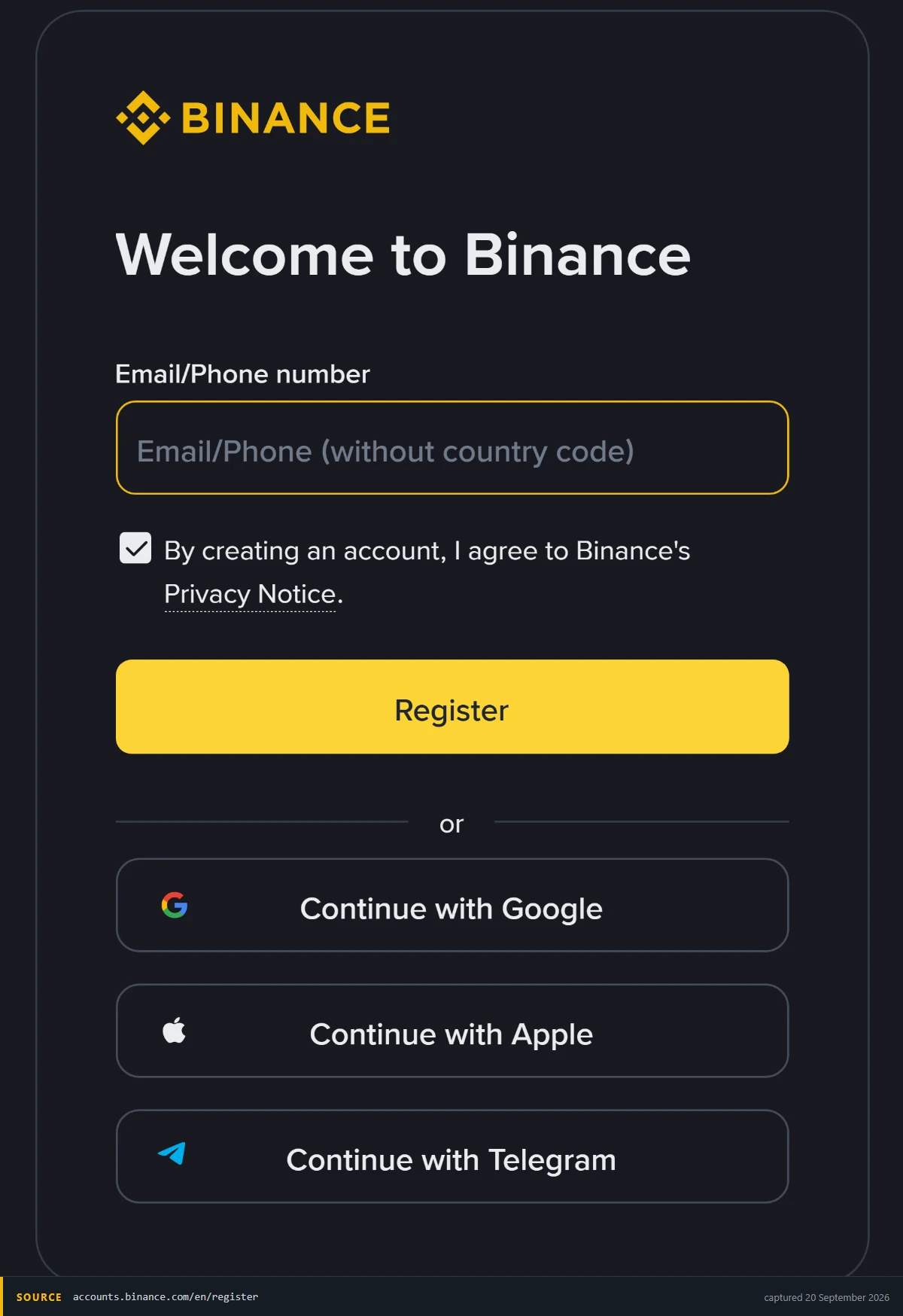
One field and a button, and that is step one. The invitation code is not on this screen at all: it travels with the link you arrive on, or is asked for at the next step, which is why it is worth getting right at signup rather than relying on the fix afterwards.
Step 2: Identity verification (KYC)
Required before trading, and required specifically for tokenised securities; that requirement flows from securities regulation, not exchange policy, as covered in how to buy tokenised stocks.
Have ready:
- Government-issued photo ID (passport, national ID, or driving licence)
- Proof of address, typically dated within the last three months, a utility bill or bank statement
- A device with a working camera for the liveness check
The process:
- Go to Identity Verification in account settings.
- Select your actual country of residence. This determines which products you can access, and it is the field people get wrong. A mismatch between your stated residence and your documents or usage patterns surfaces later; usually at withdrawal, which is the worst time.
- Upload your ID. Photograph it flat, in good light, with all four corners visible and no glare. Most rejections are image quality, not eligibility.
- Complete the liveness check: a short face scan, following on-screen prompts.
- Submit proof of address if requested for your tier.
Verification typically completes within minutes to a few hours, sometimes longer during busy periods. If rejected, the reason given is usually specific, re-photograph and resubmit rather than opening a support ticket immediately.
On residence and eligibility: product availability varies by jurisdiction. bStocks in particular are offered under an Approved Prospectus in the Abu Dhabi Global Market and are not publicly offered elsewhere; outside the ADGM, access is on a secondary-market basis to eligible users in permitted jurisdictions. Verify with your own account which products are available to you before planning around any of them.
Step 3: Security settings, before you fund
Do this before depositing. It takes about ten minutes.
- Two-factor authentication. Enable an authenticator app (TOTP) rather than SMS where you have the choice — SMS is vulnerable to SIM-swap attacks, which are a real and targeted risk for crypto accounts. Save your backup codes somewhere offline. Losing your authenticator without backups is a lengthy recovery.
- Anti-phishing code. Set a personal phrase that appears in every genuine email from the exchange. Emails without it are not genuine. This is a five-second setting that defeats an entire category of attack.
- Withdrawal address whitelist. Restrict withdrawals to addresses you have pre-approved. If your account is compromised, an attacker cannot send funds to a new address without passing the whitelist delay.
- Review device and session management. Know where your account is logged in, and log out anything unfamiliar.
Step 4: Funding
Two routes:
- Fiat deposit. Bank transfer or card, converted to a stablecoin. Bank transfer is usually cheaper for larger amounts; cards are faster but carry higher fees. Available methods depend on your country.
- Crypto transfer. Send existing assets from another wallet or exchange. Faster if you already hold crypto, but verify the network before sending. Sending on the wrong chain is the single most common way people lose funds permanently, and it is unrecoverable.
- Check which stablecoin you need. Tokenised products trade against a specific quote asset, often USDT. Funding with the wrong stablecoin means an extra conversion and an extra spread.
Step 5: Finding RWA products
Once verified and funded:
- Tokenised gold: search the spot market for PAXG. Structure, custody and fee details are in PAXG vs XAUT: worth reading before buying, since the issuer differences matter more than the price differences.
- Tokenised equities: bStocks appear in their own section where available to your account. Before buying, read what you actually own: the rebase mechanism, the absence of voting rights, and the 30% US dividend withholding for non-US holders all materially affect returns.
- RWA sector tokens: ONDO, PENDLE and others trade on the spot market. Read what these tokens actually entitle you to first; it is usually much less than people assume, and it is not exposure to tokenised assets.
- Use limit orders, particularly for tokenised equities. Their books are thinner than major crypto pairs, and a market order into a thin book routinely costs multiples of the expected spread.
What to do next
With a verified account, the useful sequence is:
- Read the four legal wrappers so you know what class of claim you are buying before you buy one.
- Start small in a single product and hold it through a full cycle: a dividend or rebase, a weekend, a spread at an awkward hour.
- Record everything from day one, using the tax record checklist. Rebasing products make cost-basis reconstruction hard if you start late.
Common problems
- Verification rejected repeatedly. Almost always image quality. Flat surface, natural light, no flash, all corners visible, no fingers covering text.
- A product is not visible in my account. Jurisdictional availability. Products are restricted by residence, and this is not something support can override. Two things to check before you conclude it is closed to you: whether your verification tier is high enough, since some products only appear after the higher tier, and whether the restriction is at the venue or at the issuer: the same exposure often exists through a different issuer on a different venue, which is what the three-structure comparison is for. If it is genuinely a residence restriction, accept it. Reaching a restricted product through a VPN is how people end up with frozen balances they cannot argue about.
- I forgot the invitation code during registration. Binance runs a binding page for exactly this case, but every one of its conditions has to hold: the account is within 30 days of registration, it has no deposit or trading activity yet, it has no existing referral relationship, it is a parent account rather than a sub-account, the identity behind it has not been used on another account in the past 180 days, and it is not flagged for wash trading. Those are the conditions Binance publishes for that page, and the binding page itself is what decides the outcome, not this one. Rules of this kind get revised, so read the current set in Binance's Referral Pro FAQ, question 4. If you have not finished registering yet, the simpler route is to start again with the code entered.
- Withdrawal is blocked after funding. Usually an unmet verification tier or a security hold following a recent settings change: a password, email or two-factor change typically starts a hold of a day or two. Check your verification level first, then check whether you changed a security setting recently, because that one clears by waiting rather than by contacting anyone. If neither applies, open a support ticket in writing and keep the reference, and do not repeat the withdrawal attempt while it is open. Repeated failed attempts look like the behaviour the hold exists to catch.
- Deposit not arriving. Confirm you sent on the correct network. If the network was wrong, recovery ranges from difficult to impossible depending on the chains involved.
This page contains a promotional link. Crypto trading carries risk; nothing here is investment advice. Product availability, verification requirements and fee structures change, verify current terms in your own account.